Prayer alarms for iPhone
Your moment with God, every day.
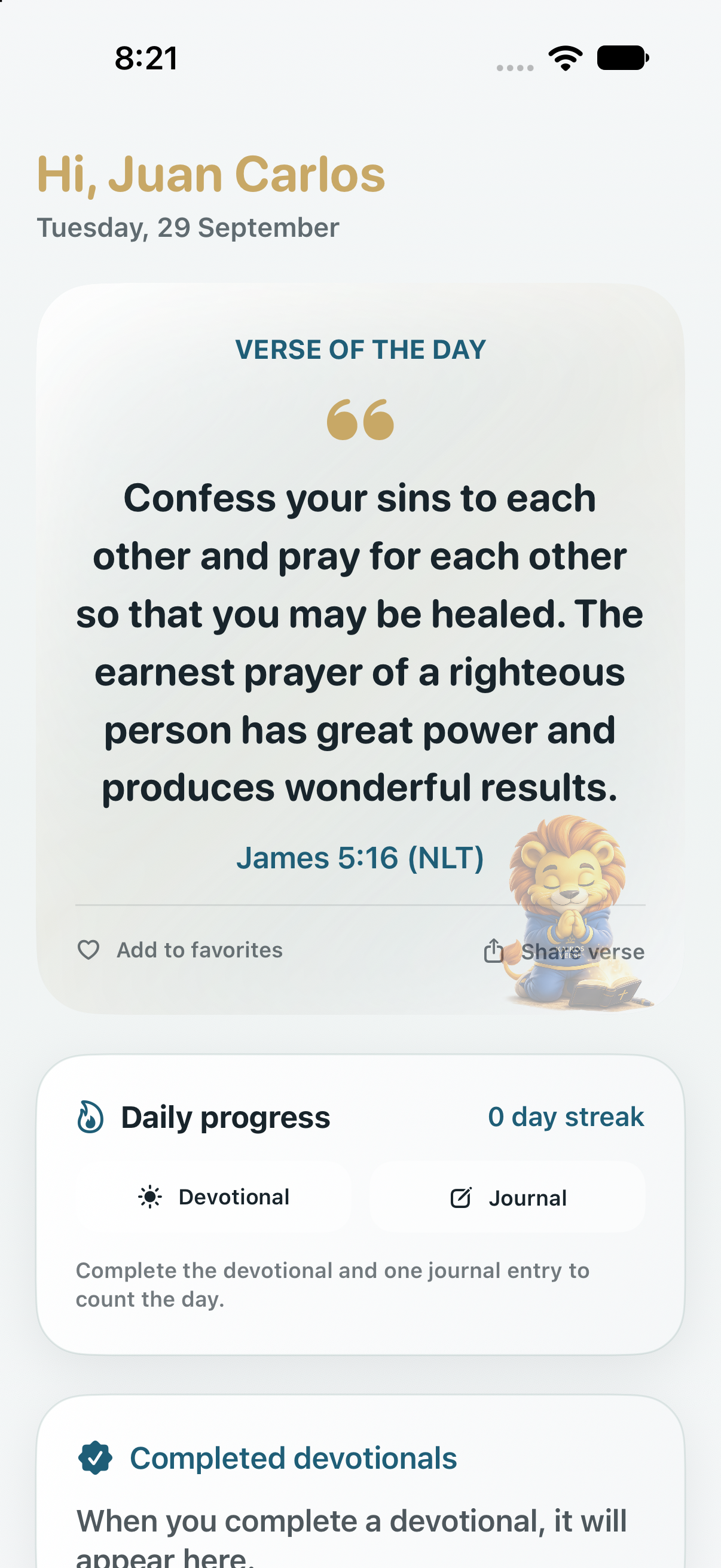
Other apps remind you to pray with a notification, and a notification gets swiped away and forgotten. Kairos Verse uses your iPhone’s alarms: they ring even in Silent mode, fill your screen, and wait until you respond. Then they greet you with today’s verse and a devotional written just for you.
A notification is easy to ignore. An alarm isn’t.
For iPhone · English and Español · Requires iOS 26.1 or later

What makes us different
Alarms, not notifications
You get dozens of notifications a day. A reminder to pray shouldn’t have to compete with them. So Kairos Verse doesn’t send alerts: it schedules real alarms on your iPhone, just like your wake-up alarm.
A notification
- Is one small banner among dozens.
- Makes no sound when your iPhone is on silent.
- Gets swiped away before you read it.
- Can be held back by a Focus or a scheduled summary until later.
A Kairos Verse alarm
- Rings even when your iPhone is on silent, like your wake-up alarm.
- Fills your Lock Screen and shows in the Dynamic Island and on your Apple Watch.
- Waits for you: you stop it or snooze it for 9 minutes.
- Stop it and Kairos Verse opens so you can begin to pray.
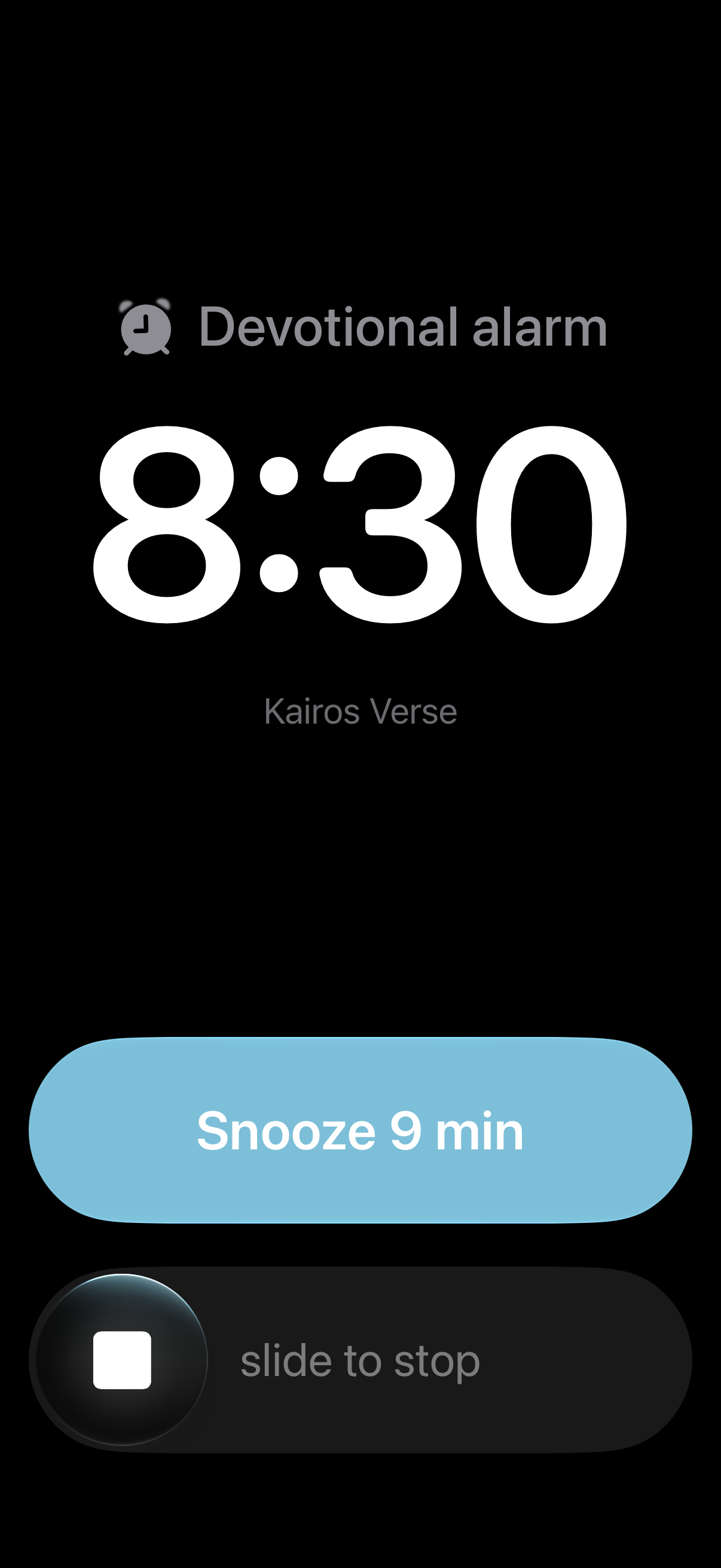
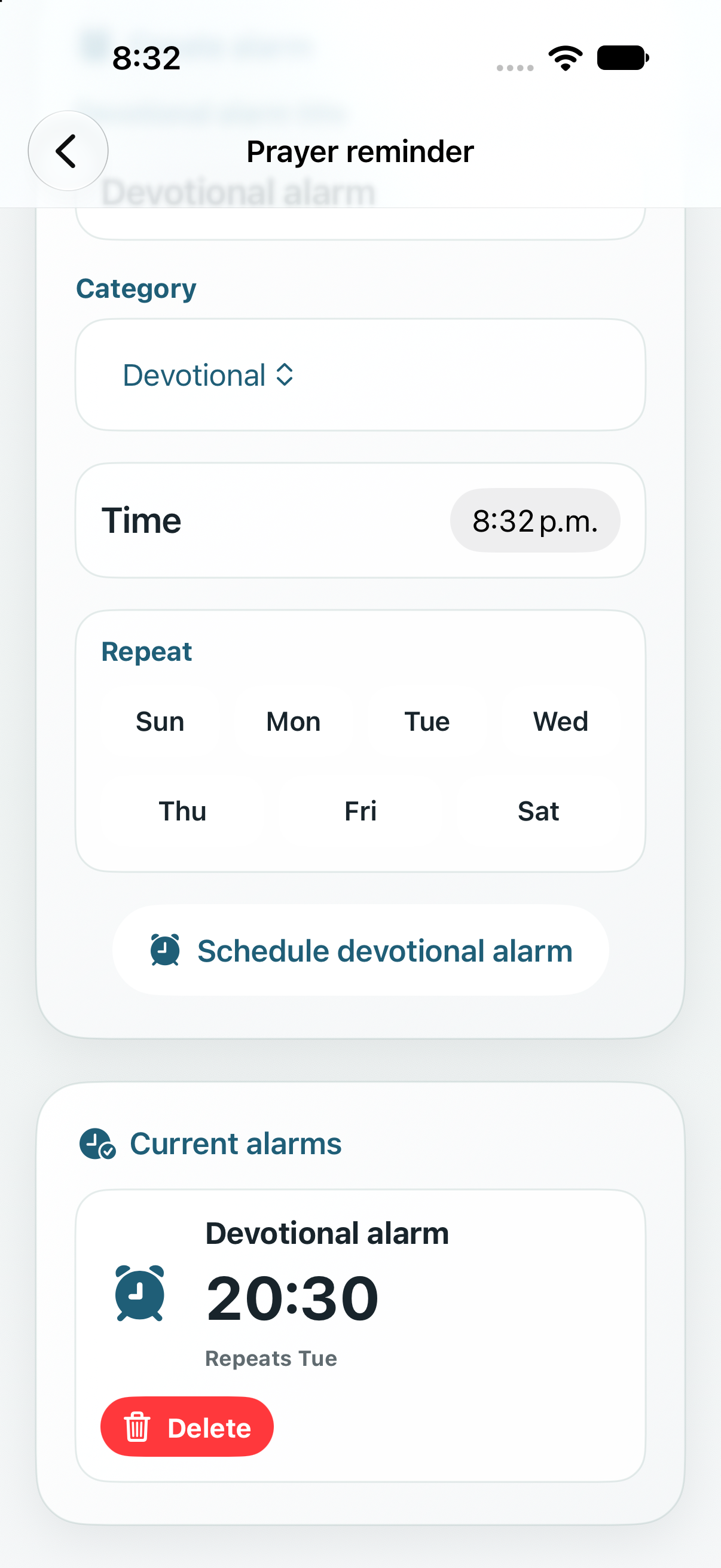
Set alarms for devotion, prayer, Bible reading, or gratitude, once or on the days of the week you choose. Your time with God goes on your schedule, as seriously as any other commitment.
What “Kairos” means
καιρός
Kairos is the Greek word for the right, opportune moment: God’s timing. The app is built around small kairos moments in an ordinary day.
Features
A daily rhythm, not another feed
Everything in Kairos Verse points to one thing: a few quiet minutes with God’s Word.
-

Prayer alarms
Real iPhone alarms, not notifications, for your times of devotion, prayer, Bible reading, or gratitude. They ring even in Silent mode, fill your screen, and never get lost among other alerts.
-

A verse for every day
366 hand-picked passages, one for each date on the calendar, so everyone reads the same verse on the same day. Save the ones that speak to you.
-
A devotional written for you
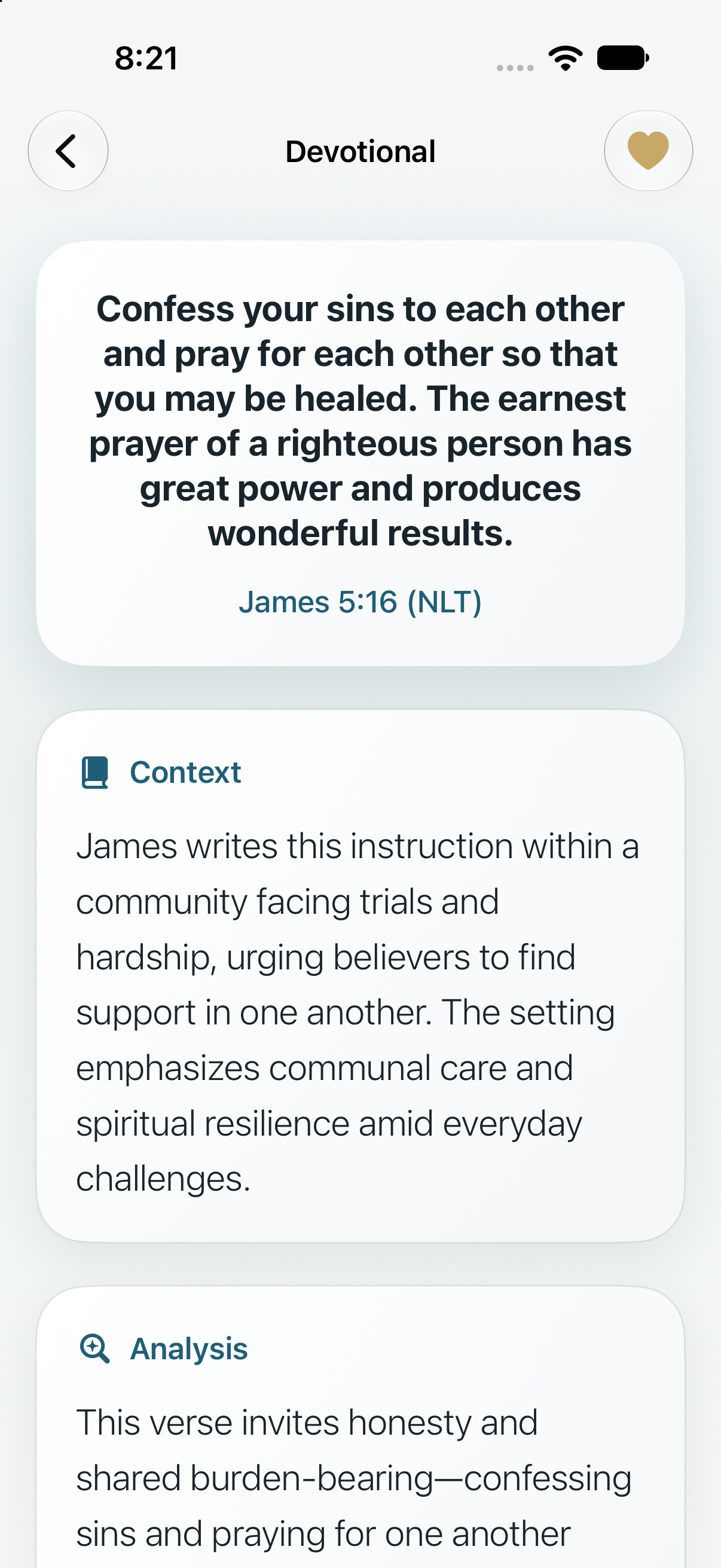
Context, analysis, application, reflection questions, a guided prayer, and one action for the day, shaped by your goals and written privately on your iPhone with Apple Intelligence.
-

A journal to write with God
Guided space for reflection, gratitude, personal prayer, and mood. Look back on past entries in a calendar and see how you’ve grown.
-

Progress and streaks
Finish the devotional and your journal to complete the day. Your streak keeps you coming back, one day at a time.
-

Widgets and iCloud
Home Screen and Lock Screen widgets keep today’s verse one glance away. Your journal, favorites, progress, and alarms follow you across your devices.
Inside the app
Made for a few quiet minutes
-
Today’s devotional, written on your device -
Your prayer alarms, by day and time -
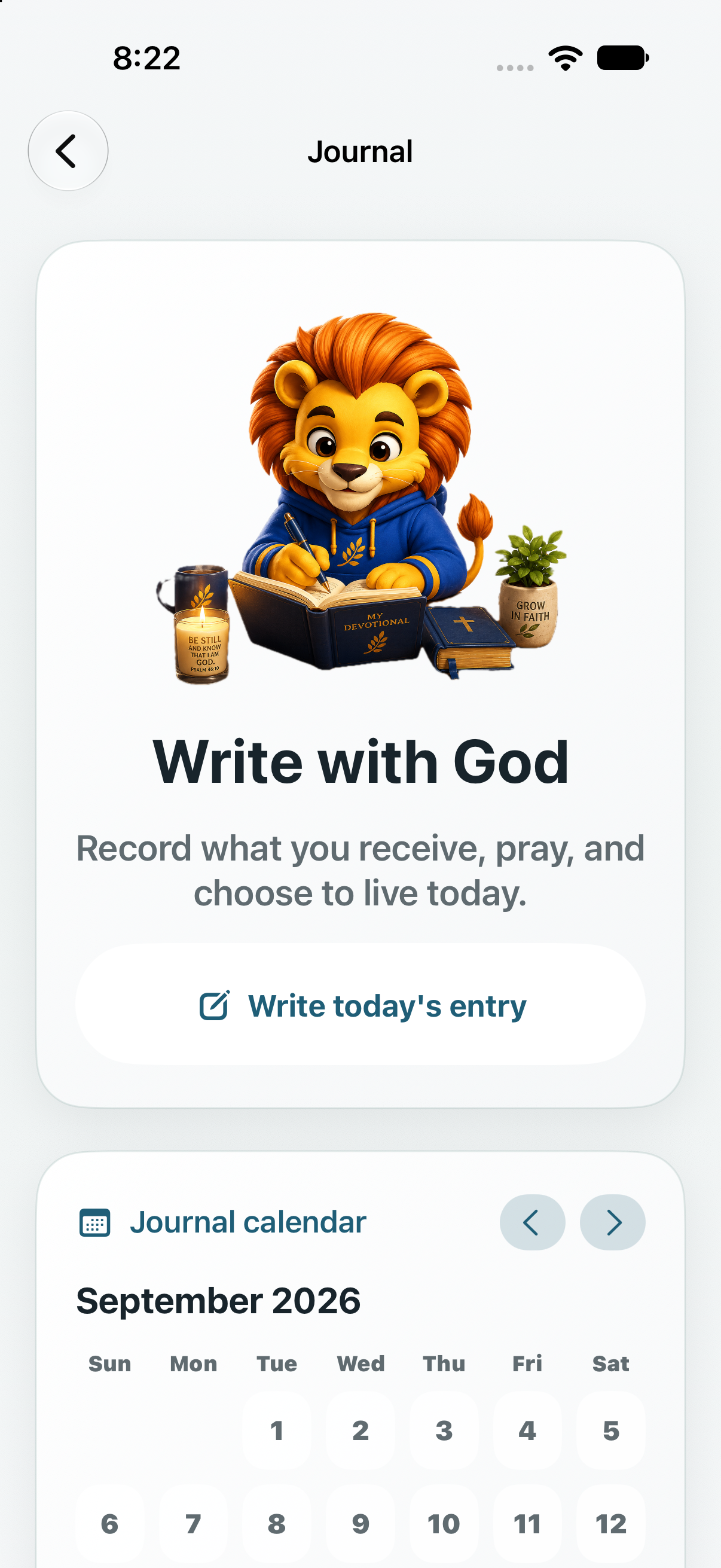
A guided journal and calendar -
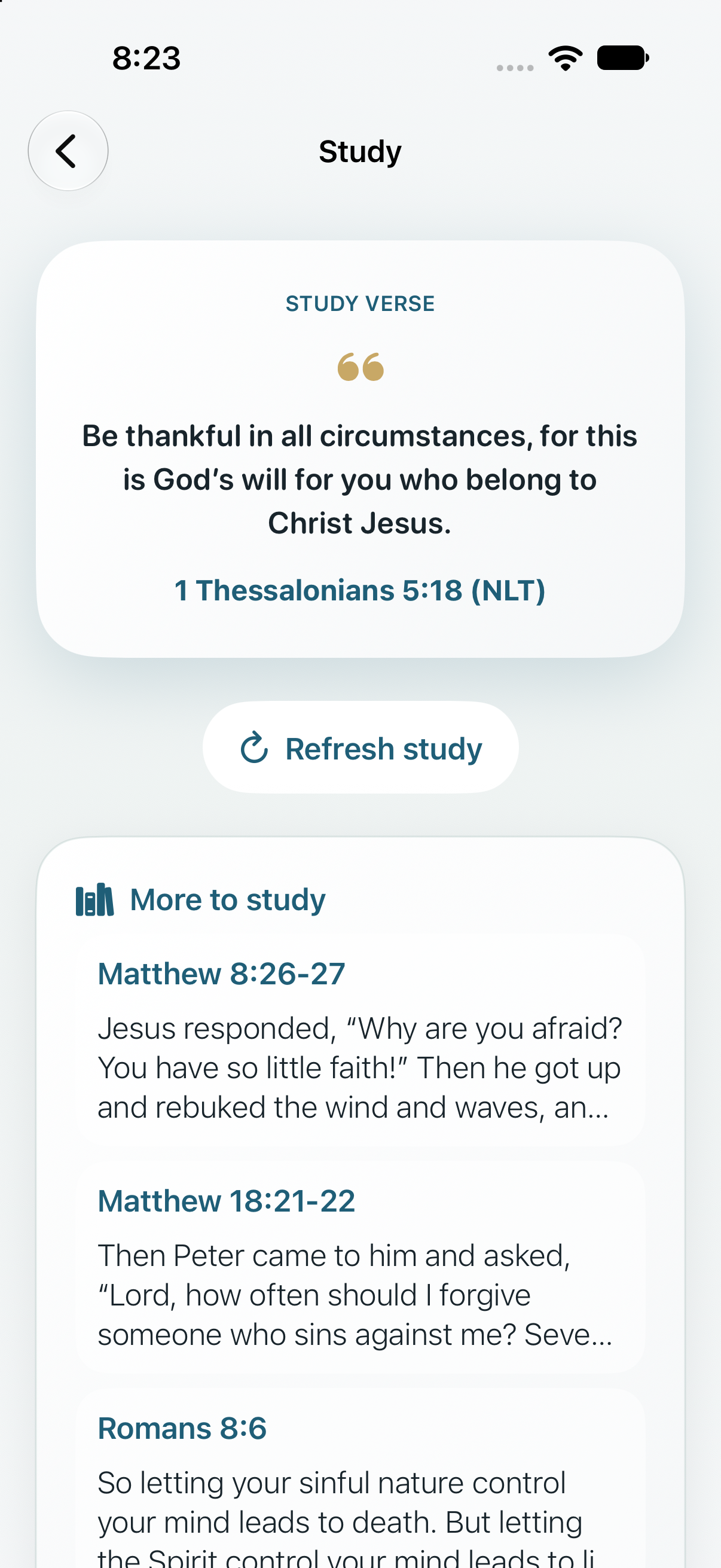
Go deeper with study verses -
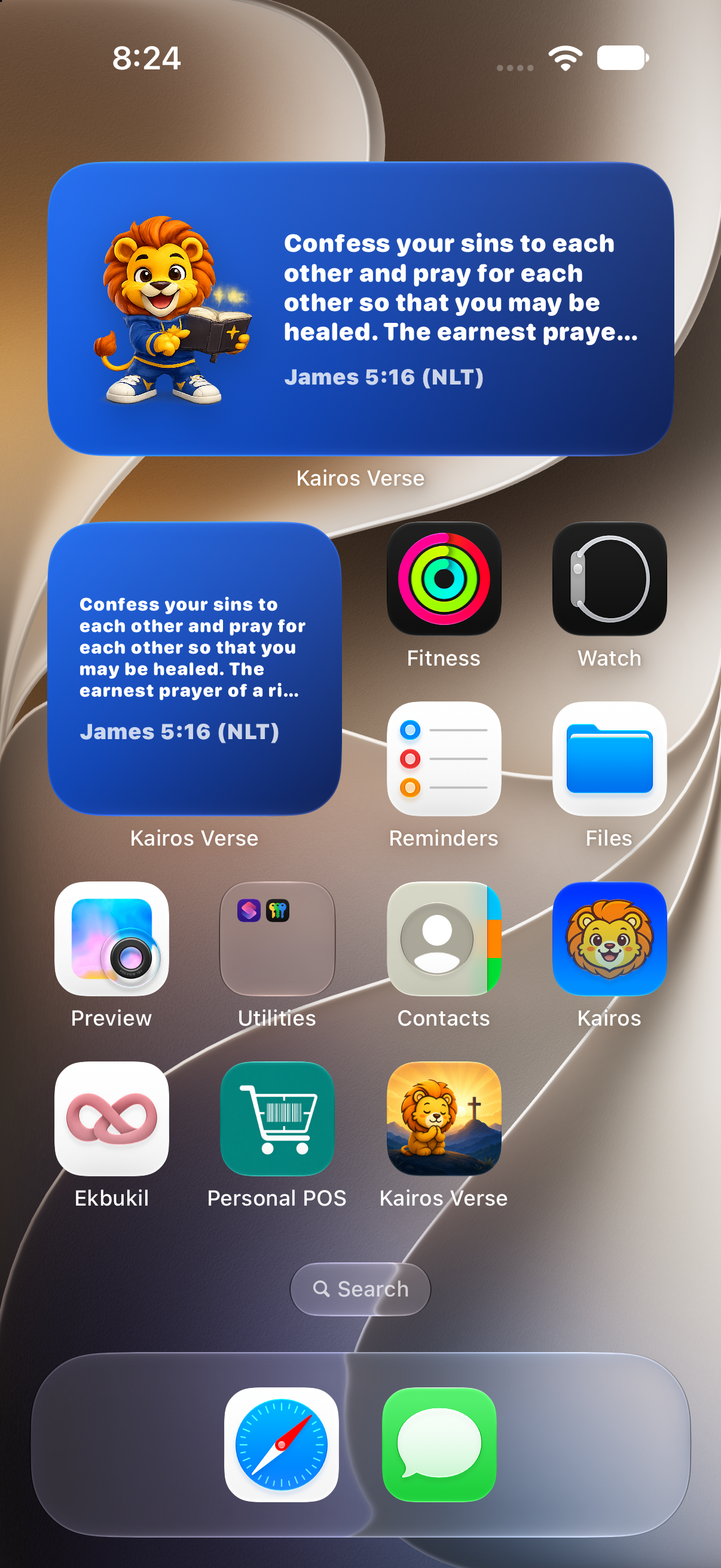
The verse on your Home and Lock Screen
Made personal
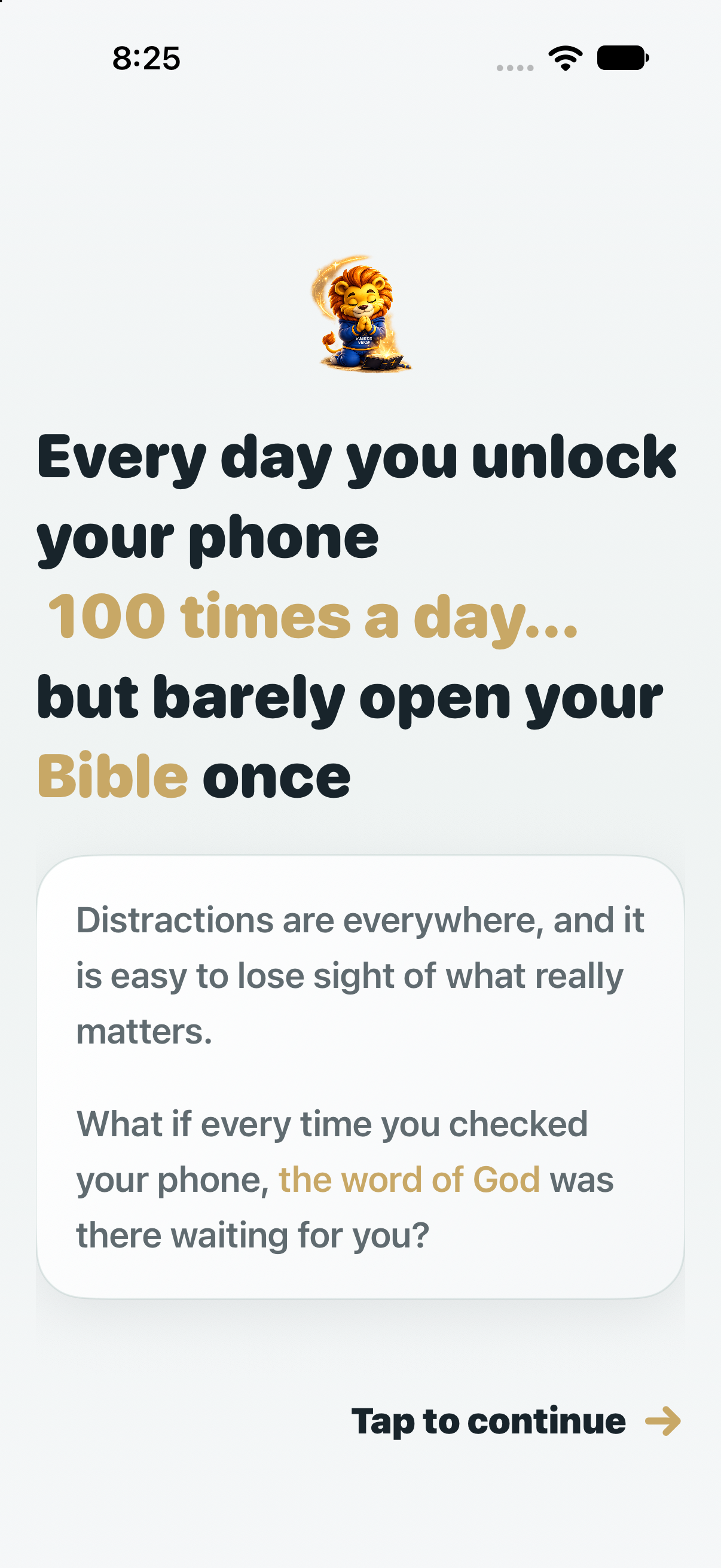
Starts with what you want to grow
A short welcome asks what you want to strengthen first — waking with purpose, praying consistently, reading daily, building a habit, or finding peace in hard moments — when you like to pray, and the topics that matter to you, like peace, faith, wisdom, gratitude, or family.
From there, Kairos Verse shapes your devotionals and study suggestions around you.
Privacy
Your prayers stay yours
- Written on your iPhone. Devotionals are created on the device with Apple Intelligence. Your goals and reflections are never sent to a server.
- No account, no tracking. There is nothing to sign up for, and no ads or analytics follow you.
- Synced through your iCloud. Your journal and progress travel between your devices in your own private iCloud storage.
On devices without Apple Intelligence, Kairos Verse includes a built-in devotional for every verse.
Kairos Verse Premium
Everything, in one subscription
Prayer alarms, devotionals, the journal, streaks, study plans, widgets, and iCloud sync are included with Kairos Verse Premium. Choose a monthly or annual plan.
Start with a 3-day free trial
Prices are shown in the App Store in your local currency. Subscriptions renew automatically until canceled in your App Store account settings.

FAQ
Questions
Why alarms instead of notifications?
Because a notification is easy to ignore: it arrives with dozens of others, gets swiped away unread, and a Focus can hold it back. An alarm rings even when your iPhone is on silent, fills your screen, and waits until you stop or snooze it. Stop it and Kairos Verse opens, so the moment becomes prayer. If you’ve set aside a moment for God, it deserves a reminder that doesn’t get lost.
Do Kairos Verse alarms replace my wake-up alarms?
No. They’re separate alarms with their own name and schedule, alongside the ones in the Clock app. You can snooze them for 9 minutes, pause them, or turn them off at any time in the app.
Which Bible translations does Kairos Verse use?
English verses come from the New Living Translation (NLT). Spanish verses come from the Nueva Versión Internacional (NVI) and the Nueva Traducción Viviente (NTV).
Does the devotional change the Bible text?
No. Verses are always quoted unchanged from the translation shown. Only the devotional around the verse — context, reflection, and prayer — is written for you.
What languages are available?
English and Spanish. Kairos Verse follows your iPhone’s language.
What do I need to run it?
An iPhone with iOS 26.1 or later. Personalized devotionals use Apple Intelligence on supported devices; every other device gets a built-in devotional for each verse.
How do I cancel my subscription?
Open Settings on your iPhone, tap your name, then Subscriptions, and choose Kairos Verse. You can also manage it from Settings inside the app.
How can I get help?
Support for Kairos Verse is provided by email. Write to us at datafox@outlook.com. We read every message.
Support
We’re here to help
Help and support for Kairos Verse are provided by email. Whether you have a question about alarms, your subscription, or anything else in the app, write to us and we’ll get back to you.
To help us answer faster, include your iPhone model and iOS version. For billing and refunds, Apple handles payments: you can also request help from your App Store purchase history.
Make your next alarm a call to prayer.